Solid Security Pro Review: The WordPress Security Plugin I Run on Every Site I Manage
Solid Security Pro is the WordPress security plugin I install on every site I manage — my own and every client's — because it covers brute force protection, two-factor authentication, passkeys, vulnerability scanning, and user security in one well-built package. If you're running a production WordPress site without a serious security layer, this is the one to get.
Visit Solid Security Pro → $99/year (single site) — $199/year Solid Suite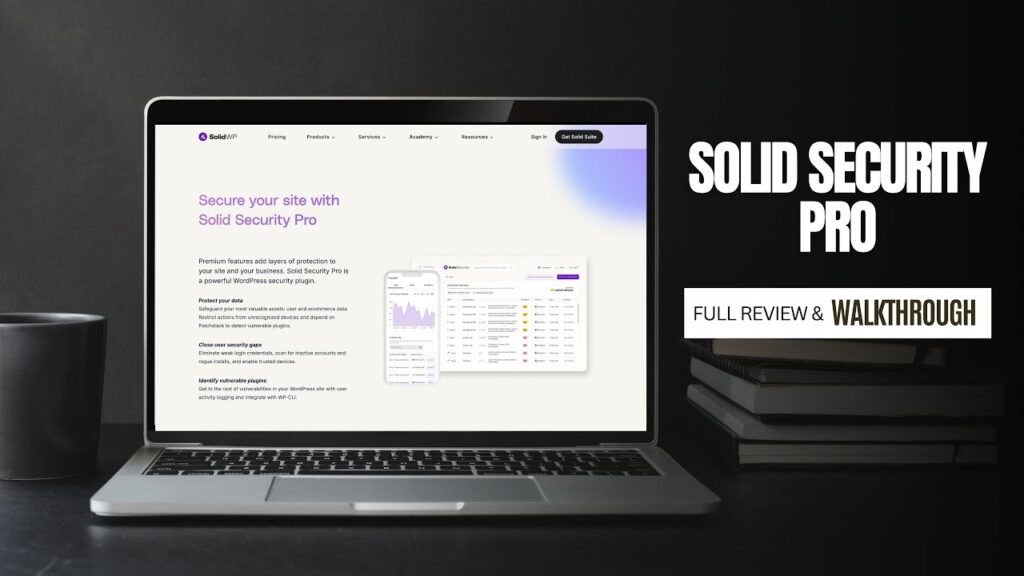
What We Like
- Passkey and passwordless login support puts it ahead of most competitors on authentication — one biometric tap logs you in with no password or 2FA code required
- User security overview shows every site user's password age, last login, and two-factor status at a glance — essential for managing client sites with multiple users
- User group security rules let you enforce different password strength, two-factor requirements, and plugin access by role — admin-level enforcement without impacting subscriber-level users
- Patchstack integration (Pro) applies virtual patches for newly disclosed plugin vulnerabilities before developers issue a fix, closing the gap window that most sites are exposed during
- Weekly security digest email summarizes lockouts, vulnerabilities, and user issues across all your sites so you stay informed without manually checking each dashboard
- Custom firewall rules and URL-based blocking give you server-level control from within the WordPress dashboard — critical for sites on shared hosting without server access
- Magic link lockout bypass prevents legitimate users from being permanently stuck out while keeping aggressive brute force protection intact
What Could Improve
- Free version's support is limited to community forums — paid Pro support is responsive, but the gap between free and paid support experience is noticeable and can frustrate users who don't upgrade
- Rare compatibility conflicts with specific third-party plugins (Vimeo Gallery has been flagged by some users) — always test on staging before activating on production sites
- Patchstack virtual patching integration, one of the most compelling Pro features, requires separate configuration and isn't active by default — it won't protect you unless you set it up
Video Review
WordPress powers somewhere around 40% of the entire internet, which means it’s also the single largest target for automated bots, brute force attacks, and plugin vulnerability exploits. I’ve been managing WordPress websites — my own and client sites — long enough to have learned that lesson the hard way, back when I was running my own dedicated servers with no real security layer in place. Those days are behind me, and a big reason for that is Solid Security Pro. This is the one plugin I install on every single WordPress site I touch, without exception. I’ve been using it since it was called iThemes Security Pro, through the rebrand to Solid Security, and it has remained my non-negotiable security standard throughout.
What Is Solid Security Pro and Why Does It Matter?
Solid Security Pro (developed by SolidWP, a Liquid Web brand) is a comprehensive WordPress security plugin that covers the full spectrum of site protection: brute force prevention, two-factor authentication, passkey login, vulnerability scanning, file change detection, user security enforcement, firewall management, and automated notifications. It’s the security layer that runs quietly in the background across all of my sites so that I’m never in a reactive posture dealing with a compromised website.
The plugin has been through a long evolution. Originally launched as iThemes Security, it was one of the first serious security plugins for WordPress. The rebrand to Solid Security brought a cleaner dashboard, better Patchstack integration for vulnerability intelligence, and a more modular feature set. With over 900,000 active installations and a 4.6-star rating on WordPress.org, it’s one of the most widely trusted security plugins in the ecosystem.
Solid Security Pro is the right choice for: freelancers and agencies managing multiple client WordPress sites; anyone running a business-critical website where a hack would mean real financial or reputational damage; site owners who want a proactive, set-it-and-monitor-it security layer rather than discovering problems after the fact.
It’s less relevant for: developers running purely local or staging environments; or organizations that have a dedicated server-level WAF (Web Application Firewall) and an enterprise security team already handling these functions. For everyone else running production WordPress sites — this plugin earns its place.
First Impressions: Dashboard and Setup
The first thing you see when you activate Solid Security Pro is a dashboard that gives you genuinely useful at-a-glance information: lockout counts by type, threats blocked, update summary, vulnerable software scan results, user security profile status, and banned IPs. This isn’t a vanity dashboard with pie charts — it’s actionable data that tells me within seconds whether any of my sites need attention.
Setup is straightforward. SolidWP has built a site template system that applies appropriate security settings based on your site type — eCommerce, blog, non-profit, network, and others. Rather than requiring you to manually configure 30+ settings from scratch, you choose your template and get a sensible baseline. From there, you layer on the specific settings that matter for your situation. I’ve set up Solid Security Pro enough times now that the process is fast, but the template system makes it genuinely accessible for anyone who doesn’t want to become a WordPress security expert just to protect their site.
One thing I want to emphasize as someone who has been using this since the iThemes days: the interface has gotten progressively cleaner and more logical with each iteration. The current Solid Security dashboard is the best version yet — organized around the things that actually matter (threats, users, vulnerabilities, firewall) rather than an overwhelming list of settings tabs.
Core Security Features: What Solid Security Pro Actually Does
Brute Force Protection
The most consistent threat I see across every WordPress site I manage is automated bots trying to log in using common username/password combinations — and specifically, trying the username “admin.” Solid Security Pro handles this at two levels. Local brute force protection locks out IP addresses after a configurable number of failed login attempts. Network brute force protection goes further: it bans IPs that have been caught attacking other sites in the Solid Security network of nearly one million installations.
From my dashboard, I can see exactly which IPs are being blocked, how frequently they’re hitting the site, and what they’re attempting. Most hits on my sites are login attempts using “admin” as the username — which is why changing your WordPress username away from “admin” is one of the first things I tell every client. Solid Security flags this in its security scan as well.
The magic link feature handles a common side effect of aggressive lockouts: legitimate users accidentally locking themselves out. Rather than requiring you to whitelist IPs or manually intervene, Solid Security can send a magic link to the registered admin email that bypasses the lockout cleanly. This has saved me from several support calls from clients who triggered their own lockouts.
Two-Factor Authentication, Passkeys, and Passwordless Login
This is where Solid Security Pro pulls significantly ahead of lighter security plugins. The authentication options are comprehensive and genuinely modern. You get mobile app two-factor (works with any TOTP app — I use 1Password and recommend it to all my clients), email two-factor, and backup codes for emergencies. But the feature I’ve been most impressed with is passkey support.
With passkeys enabled, I come to a site’s login screen, click the passkey option, and 1Password authenticates me biometrically — Face ID, Touch ID, or Windows Hello depending on device. No password typed. No two-factor code copied. One interaction, and I’m in. This is more secure than a password-plus-2FA combination because there’s no credential to phish, and it’s faster in daily use. Solid Security Pro’s passkey implementation is compatible with Chrome, Firefox, Safari, and other major browsers.
The passwordless login option is something I use strategically for clients. Forcing strong, unique passwords on site admins is the right call — but clients forget them, especially when they don’t log in frequently. With passwordless login enabled, they can request an email link and get in without me having to reset anything. The next login after that still requires their credentials, so it’s a convenience bridge, not a permanent bypass.
I also appreciate the granularity of the two-factor onboarding flow. I delay the mandatory two-factor setup by one login for new clients, so their first experience with the site isn’t a wall of security hoops. Their second login triggers the onboarding. This is a small UX consideration that makes the transition to two-factor much smoother for non-technical clients.
User Security and Group Management
The user security overview in Solid Security Pro is one of the most practically useful features I use on a regular basis. At a glance, I can see every user on a site, their role, when they last logged in, their password age, and whether two-factor is enabled. For client sites where the business owner added an employee six months ago and hasn’t thought about security since, this view immediately surfaces users with old passwords and no 2FA.
User groups let you apply different security requirements to different user roles. I don’t enforce strict password complexity on subscriber-level users who only have commenting access — but I absolutely enforce it on editors and administrators. For admins, I enable: strong password requirement, compromised password check (rejects passwords that appear in known breach databases), password expiration after a set period, and mandatory two-factor. These settings are configured once per user group and apply automatically to anyone with that role. It’s security management that scales without requiring manual oversight of every individual account.
Site Scan and Vulnerability Detection
Solid Security Pro’s site scan checks for inactive users, rogue plugin installs, file integrity issues, and a range of other security indicators. I run these automatically on a schedule and receive the results via the weekly security digest email. The scan results on my well-maintained sites consistently show zero issues — not because the scanner is missing things, but because running Solid Security Pro proactively means I’m maintaining the conditions that prevent issues from arising.
The Patchstack integration in Pro takes vulnerability detection further. Patchstack monitors the WordPress plugin and theme ecosystem for newly disclosed vulnerabilities and can trigger virtual patches — essentially firewall rules that block exploit attempts targeting a specific vulnerability — before the plugin developer has even issued a fix. This is a meaningful layer of protection for the gap period between a vulnerability being disclosed and a patch being deployed. I don’t have the Patchstack integration active on every site, but on client sites handling sensitive data or e-commerce transactions, it’s running.
Firewall and IP Management
The individual site firewall in Solid Security Pro shows threats by type, source IP, and frequency. Beyond the built-in protection rules, I can create custom firewall rules — for example, blocking all traffic to a specific URL path that bots are repeatedly probing, or blocking a range of IPs from a specific geographic region if I’m seeing concentrated attack patterns. This is functionality that you’d otherwise need to handle at the Cloudflare or server level, but for sites on shared hosting or managed WordPress platforms that don’t give you direct access to server-level firewall configuration, having it inside the plugin is genuinely valuable.
IP whitelisting ensures that my own IP addresses or those of trusted collaborators never get caught in lockout rules — critical when you’re running aggressive security settings on a client site and need reliable access.
WordPress Hardening: The Advanced Configuration Options
Under the advanced settings, Solid Security Pro includes a set of WordPress and server hardening options that address vectors attackers commonly exploit. These aren’t obscure developer settings — they’re specific, practical protections:
Disable PHP execution in uploads, plugins, and themes directories: This blocks a common injection attack vector where a malicious file is uploaded and then executed. With PHP execution disabled in the uploads directory, even if someone manages to upload a malicious PHP file, it can’t run.
Disable the WordPress file editor: The built-in theme and plugin file editor in WordPress is a security liability — if an attacker gains admin access, they can use it to inject code directly. Disabling it removes that vector entirely without affecting any front-end functionality.
Disable XML-RPC: On sites that don’t have a specific need for XML-RPC (most brochure and portfolio sites don’t), disabling it eliminates a major attack surface. XML-RPC is one of the primary endpoints bots probe for DDoS amplification attacks on WordPress.
Restrict REST API access: Similarly, restricting the REST API to authenticated requests limits what unauthenticated bots can extract from your site.
Hide the login URL: Changing the default wp-login.php URL to something custom doesn’t stop a determined attacker who probes for it, but it does eliminate the bulk of automated bots that are hardcoded to hit the default URL. On sites where I’ve enabled this, bot traffic to the login endpoint drops dramatically.
None of these settings are mandatory and some have trade-offs for specific site configurations — but Solid Security Pro explains each option clearly, and the template system applies the right subset of hardening for your site type automatically.
Notifications and the Weekly Security Digest
One of the most underrated features of Solid Security Pro is its notification system. I configure the weekly security digest for most client sites — a single email that summarizes lockout counts, vulnerability status, users without two-factor, inactive users, and anything else that needs attention. This means I’m staying on top of security across many sites without having to log into each one manually.
I disable site lockout notifications (which fire constantly due to bot traffic) because they’re too noisy to be useful. But I keep site scan result notifications, user password change alerts for admin-level accounts, and vulnerability notifications active. Configuring the right notification mix is worth spending a few minutes on during setup — a good notification strategy means you’re informed about genuine issues without alert fatigue causing you to start ignoring the emails.
The database backup notification and one-click backup from the dashboard is a useful quick-action feature, though for serious backup strategy I pair Solid Security with a dedicated backup solution. Solid Security’s database backup is a safety net, not a replacement for a full backup workflow.
Solid Security Pro vs. Wordfence, Sucuri, and Other Competitors
Having managed sites with Wordfence, Sucuri, and Solid Security Pro at various points, here’s the honest comparison:
Solid Security Pro vs. Wordfence: Wordfence is the most widely used WordPress security plugin and has an excellent malware scanner with a large signature database. The difference I’ve found in practice is that Wordfence is heavier — it can impact site performance on lower-resourced hosting, and the free version aggressively markets the paid tier. Solid Security Pro’s user security and 2FA management is more granular and better suited for multi-user sites. Wordfence has a slight edge on raw malware scanning depth; Solid Security has a clear advantage on user management and authentication hardening.
Solid Security Pro vs. Sucuri: Sucuri is a cloud-based security service (WAF + CDN + malware removal) rather than a pure plugin. It’s more appropriate for high-traffic sites that need a distributed firewall before traffic reaches WordPress. Solid Security Pro is a plugin-level solution that sits inside WordPress. These aren’t true competitors for the same use case — if you’re running a high-volume site, you might use both. For most WordPress sites, Solid Security Pro provides more than adequate protection at a significantly lower price point.
The honest bottom line: Solid Security Pro is the security plugin I’d recommend to most WordPress site owners and agencies because it covers authentication, hardening, vulnerability management, user security, and firewall in one coherent package, with an interface that non-security-experts can actually navigate.
Pricing: What Solid Security Pro Costs
Solid Security Pro starts at $99/year for a single site. The Solid Suite bundle — which adds Solid Backups and Solid Central for multi-site management — starts at $199/year for one site and represents better value if you’re also managing backups and multiple WordPress installs.
There’s a free version of Solid Security available in the WordPress plugin repository that covers brute force protection, basic hardening, and core file monitoring. It’s a legitimate starting point, but the Pro features — passkeys, two-factor authentication, user security groups, Patchstack integration, and the full notification system — are what make it the complete solution I run on production sites.
At $99/year, Solid Security Pro costs roughly $8/month to protect a WordPress site. The cost of a hacked site — lost revenue, malware cleanup services, SEO recovery, and client trust — can easily reach thousands of dollars. This is one of the most asymmetric value propositions in the WordPress plugin ecosystem.
Long-Term Experience: What Running This Plugin Actually Looks Like
I’ve been running Solid Security (in its various forms) for years across my own sites and every client site I manage. The experience in practice is largely invisible — which is exactly what you want from a security plugin. It runs in the background, blocks threats, sends me a weekly digest, and lets me get on with other work.
The proactive posture this creates is the biggest practical benefit. I’m not scrambling to respond to a compromised site; I’m looking at a weekly email that tells me everything is clean. On the rare occasions where something does require attention — an out-of-date plugin with a known vulnerability, a user who hasn’t enabled two-factor — I’m seeing it in the digest before it becomes a problem.
I’ve had zero successful attacks on any site running Solid Security Pro in my current portfolio. That’s not a guarantee — security is never absolute — but it’s the result of running a well-configured security layer consistently. The plugin updates regularly, the Patchstack intelligence keeps vulnerability data current, and the SolidWP team has a track record of responsive development going back years.
Final Verdict
I've been using Solid Security Pro long enough to have known it as iThemes Security Pro, and through every rebrand and feature evolution it has remained the non-negotiable security foundation for every WordPress site I manage. After years of running it across personal sites and client sites, I haven't had a single successful attack on any site where it was properly configured. That's the outcome that matters, and it's the outcome this plugin is built to deliver.
What makes Solid Security Pro stand out from the crowded field of WordPress security plugins is the combination of depth and usability. The brute force protection, firewall, and vulnerability scanning are table stakes — every serious security plugin covers those. What Solid Security Pro does better than most is user security management: the ability to see every user on your site, enforce password requirements by role, require two-factor authentication for specific user groups, and support passkey authentication for the most secure and frictionless login experience available. For agencies managing sites with multiple client users who have historically used weak passwords, this feature set is invaluable.
Solid Security Pro is the right choice if: you manage one or more WordPress sites in a professional or business context; you have clients or team members with varying levels of security hygiene; you want a proactive security posture rather than discovering problems after damage is done; or you're currently running no security plugin and need to fix that immediately.
Consider alternatives if: you're running a high-volume enterprise site that needs a cloud-based WAF like Sucuri or Cloudflare's security suite at the network level (though Solid Security Pro can still complement those); or you need deep server-level malware scanning that goes beyond plugin-level detection, in which case Wordfence's scanner is slightly more comprehensive.
At $99/year, Solid Security Pro is one of the best insurance policies you can take out for a WordPress site. The cost of a single hack — cleanup, reputation repair, SEO recovery — dwarfs the annual license fee many times over. Run it, configure it properly, and let it do its job in the background.
Was this helpful?
Frequently Asked Questions
Is Solid Security Pro worth it for a small WordPress site?
How does Solid Security Pro compare to Wordfence?
Does Solid Security Pro slow down my WordPress site?
What is the difference between Solid Security and Solid Security Pro?
Should I disable XML-RPC with Solid Security Pro?
Can Solid Security Pro protect against plugin vulnerabilities?
What is the best WordPress security plugin for agencies managing multiple client sites?
