FluentCommunity Review: The Best WordPress Community Plugin for Course Creators and Educators
FluentCommunity is the community platform I wished existed when I first launched my course website — it's faster than BuddyBoss, a fraction of Circle's cost, and integrates with FluentCRM so deeply that new students get course community access automatically the moment they enroll. For WordPress-based course creators and educators, this is the community plugin to build on.
Visit FluentCommunity → $199/year (single site) — $699/year (15 sites)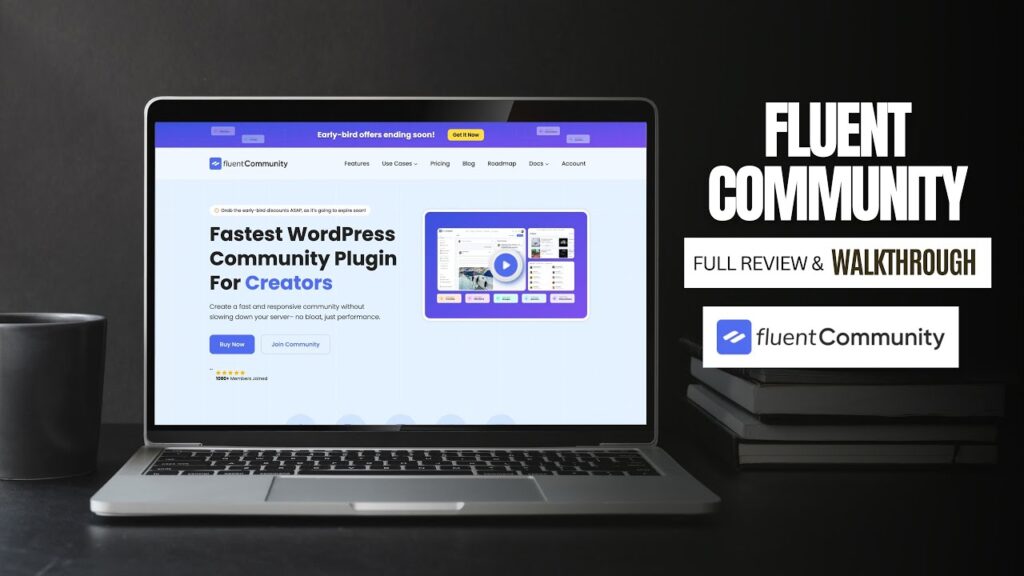
What We Like
- FluentCRM tag-based access management automatically grants and revokes course community space access on enrollment — zero manual intervention required after initial configuration
- VueJS single-page application front-end is genuinely fast with no page reloads, making it feel like a dedicated SaaS community platform rather than a WordPress plugin
- Community data stored in isolated custom database tables — heavy community activity doesn't slow down your main WordPress site's database performance
- Course-specific spaces with automatic enrollment-based gating means students only see the communities relevant to their purchases, keeping the feed relevant and clean
- Webhook support connects community access to external platforms (Teachable, Kajabi, Zapier) so it works even if you're not on the full Fluent stack
- Built-in FluentCRM profile view inside member profiles shows email open rates, tags, and list subscriptions — no context-switching to the CRM to research a member
- Theme-agnostic front-end renders consistently regardless of your WordPress theme, so theme updates can't break the community layout
What Could Improve
- Not a real-time chat platform — discussions are asynchronous and post-based, which is right for most course communities but wrong if your audience expects Discord-style instant messaging
- BuddyBoss migration photo sync had issues at launch (since patched), but anyone migrating a photo-heavy community should test thoroughly on staging before cutting over to production
- Built-in LMS course features are newer and less mature than dedicated plugins like LearnDash — creators with existing LMS setups will likely keep their current solution rather than migrate
Video Review
Building an engaged online community around your courses, content, or brand on WordPress has historically meant choosing between expensive SaaS platforms, bloated plugins like BuddyBoss, or awkward workarounds using Discord and Facebook Groups. FluentCommunity changes that equation entirely. I discovered it the same way a lot of people do — by noticing that WPManageNinja was using it for their own plugin support community, and thinking: if it’s good enough for them to run their own customer engagement on, it’s worth a serious look. After deploying it on my course website and integrating it with FluentCRM and LearnDash, it’s become the community layer I wished I’d had from day one.
What Is FluentCommunity and Who Is It For?
FluentCommunity is a WordPress plugin that transforms your WordPress site into a fully featured community and learning platform — think Circle or BuddyBoss, but self-hosted, lightweight, and built to integrate natively with the Fluent plugin ecosystem. It supports structured spaces (groups), a social-style home feed, member profiles, leaderboards, course creation, content gating, and deep automation hooks through FluentCRM tags and webhooks.
It’s built for course creators, educators, coaches, membership site owners, and agencies who want to offer their audience a community experience that lives inside their own WordPress environment rather than redirecting users to a third-party platform they don’t control. If you’ve been running your community on Discord (and losing members who won’t download another app), Facebook Groups (and losing control of your data and feed algorithm), or Circle (and losing $80–$100/month or more), FluentCommunity is the alternative worth evaluating seriously.
FluentCommunity is ideal for you if: you run online courses and want course-specific community spaces that unlock automatically upon enrollment; you’re already using FluentCRM and want community access tied to CRM tags; or you want to consolidate your community, email marketing, and course delivery onto a single self-hosted WordPress stack.
FluentCommunity is not the right fit if: you need a hosted, fully managed community platform with zero technical overhead; your community is primarily real-time chat-based (it’s discussion-oriented, not Slack-style); or you have no appetite for any WordPress site management whatsoever.
First Impressions: The Front-End Community Experience
The first thing that struck me about FluentCommunity is that it doesn’t feel like a WordPress plugin. The front-end is a clean, modern single-page application built with VueJS — meaning navigation is instant, there are no page reloads, and the overall feel is closer to a dedicated SaaS community platform than anything I’d previously run inside WordPress. That’s a meaningful differentiator from BuddyBoss and similar plugins, which feel unmistakably like WordPress add-ons.
The home feed shows members posts from all the spaces they have access to, with newest activity surfacing naturally. My course students only see posts from course groups they’re enrolled in — so a student who purchased my Apple productivity course sees posts from that group, but not from my photography course group. That content separation happens automatically based on access permissions, without any manual curation on my part.
The UI includes light and dark mode, global search across the entire community, a notification center (with separate tabs for all notifications and direct mentions), bookmarking individual posts, and a member directory with activity recency. These aren’t afterthoughts — they’re core features that make the community feel like a destination rather than a bolt-on forum.
Spaces: The Core Organizational Structure
Everything in FluentCommunity is organized around spaces — the equivalent of channels, groups, or communities depending on what platform vocabulary you’re used to. Each space has its own feed, its own access rules, its own thumbnail and description, and can be locked (admin-only posting) or open (member posting).
My community structure illustrates how flexible this is in practice:
- Getting Started — a locked space where I post community rules and a welcome message. Members can read, not post.
- Say Hello — an open space where new members introduce themselves. This has become one of the most active areas as the community grows.
- Announcements — another locked space where I post course updates, new content notices, and community news.
- Support — an open space where students post questions. The value here is significant: when a student posts a question that three other students have the same answer to, one public thread serves all of them. This has reduced repetitive direct support emails substantially.
- Course Groups — individual spaces tied one-to-one with each of my courses. A student enrolled in my Ditch Auto photography course gets access to that space; they don’t see other course spaces they haven’t purchased.
Topics add a layer of organization within spaces. I’ve configured topics like “General Discussion,” “Show Your Work,” and “Support” that members select when posting. This makes it easy to filter by topic within a space — especially valuable in active course groups where photo shares, questions, and general discussion all happen in the same space.
The FluentCRM Integration: Where the Magic Happens
If you’re already using FluentCRM, the access management integration is the single most compelling reason to choose FluentCommunity over any other WordPress community plugin. Here’s how it works in practice on my site:
- A student purchases my Ditch Auto photography course through WooCommerce.
- LearnDash enrolls them in the course.
- WooCommerce + FluentCRM automation fires, tagging the contact as “Student: Ditch Auto” in my CRM.
- That tag simultaneously triggers a welcome email sequence AND grants the student access to the Ditch Auto course space in FluentCommunity.
- The student receives their welcome email, logs into the site, and finds their course community space already waiting for them — no manual steps, no access request, no delay.
This automation runs without me touching anything after initial configuration. Every course I offer has the same setup: a FluentCRM tag that triggers an email sequence and community access in a single action. The result is a student onboarding experience where, by the time someone opens their welcome email, they already have full access to everything they paid for — including the community.
The inverse is equally important: if a student’s access expires or a refund is processed, removing the CRM tag removes their community access automatically. No manual housekeeping required.
Within the community itself, because I have FluentCRM installed, I can view any member’s CRM profile directly from their community profile — how many emails they’ve received, open rate, which lists they’re subscribed to, and their tag history. This level of insight from inside the community dashboard is something I haven’t seen in any other WordPress community plugin.
Webhook Integration: Connecting Beyond the Fluent Ecosystem
Not everyone runs their courses through LearnDash or their payments through WooCommerce. FluentCommunity accounts for this with robust webhook support. Incoming webhooks can trigger actions including adding or removing members from specific spaces, enrolling or removing them from courses built within FluentCommunity, and other community-level events.
This means that if you’re running courses on Teachable, Kajabi, Podia, or another hosted platform, you can still use FluentCommunity as your self-hosted community layer and connect the two systems via webhook (directly or through Zapier). I’ve tested this in theory with a client scenario — the configuration is straightforward and the webhook documentation covers the key use cases.
For anyone migrating from BuddyBoss specifically, FluentCommunity has a built-in migration tool that imports members, groups, and content. I ran into some photo sync issues during my own migration (mostly related to my photography courses where students had uploaded a lot of images), but this was resolved in a subsequent update. The migration path exists and works — just test it thoroughly on staging before running on production.
Leaderboard, Gamification, and Member Engagement
FluentCommunity includes a leaderboard that tracks member activity — posting, replying, receiving reactions — and surfaces the most engaged members in a visible ranking. As a course instructor, this serves two purposes: it incentivizes participation organically, and it shows me at a glance who my most engaged students are.
Member profiles support custom header images, profile photos, bio text, and social media links — the baseline social profile features that make a community feel like a real place rather than a forum. The bookmarking feature lets members save posts they want to return to, which reduces “I can’t find that post from last week” support questions.
The moderation tools cover the essentials: content flagging, post unpublishing, member blocking, and the ability to assign moderators or managers at the space level or site-wide. If you’re running a larger community, you can designate trusted members as space moderators without giving them full admin access — an important role-separation that BuddyBoss handles clumsily by comparison.
The Backend: Settings, Customization, and Performance
One architectural decision in FluentCommunity deserves specific attention: all community data is stored in its own custom database tables, completely separate from the main WordPress database. This means community activity — posts, comments, reactions, member interactions — doesn’t add load to your core WordPress database. A highly active community on a well-configured host won’t slow down your main site’s page load times because the database queries are isolated.
The backend settings panel covers everything you’d expect: community name and branding, color customization, custom CSS and JavaScript, email notification templates, feature toggles (leaderboard, badges, and other elements can be disabled individually), manager and moderator assignment, menu customization for the top bar, sidebar, and user menu, and privacy controls for what members can and can’t change about their profiles.
The built-in analytics dashboard tracks community growth over time — new members, post volume, comment activity, and space-level engagement. For a course creator trying to understand whether their community is actually being used, this data is more relevant than generic WordPress analytics and requires no additional plugin to access.
I also want to note that while the back end exists within WordPress, the community front end operates almost like a separate application — members interacting with the community aren’t in the typical WordPress front-end theme. This is a feature, not a bug: it means the community experience is visually consistent regardless of what WordPress theme you’re using, and theme updates can’t accidentally break the community layout.
FluentCommunity vs. BuddyBoss, Circle, and Discord
Having used or seriously evaluated all four, here’s the honest comparison:
FluentCommunity vs. BuddyBoss: BuddyBoss is the established WordPress community platform and has a large feature set, but it’s heavy — it can significantly impact site performance, requires a proprietary theme or theme compatibility work, and costs $299+/year plus additional plugins for full functionality. FluentCommunity is faster, lighter, theme-agnostic, and integrates more cleanly with modern Fluent-stack workflows. For new projects in 2025, I wouldn’t start on BuddyBoss.
FluentCommunity vs. Circle: Circle is an excellent hosted community platform at $89–$399/month depending on features and member count. It has a polished UI and good course features, but the monthly cost is prohibitive for smaller communities, and you don’t own your data or your platform. FluentCommunity’s annual plan at $199/year for a single site is a fraction of Circle’s cost, and lifetime pricing makes the ROI comparison even more favorable.
FluentCommunity vs. Discord: Discord is free and many creators use it effectively, but it requires users to download a separate app (or use the web app, which many users find confusing), it has no native course integration, and community history is difficult to search and reference. For an audience that skews toward non-gamers and older demographics, asking students to join a Discord server creates real friction. FluentCommunity lives on your own website, uses their existing login, and doesn’t require any additional accounts.
Course Features: Built-In LMS Capability
FluentCommunity includes its own course creation system that supports self-paced, structured, and scheduled (dripped content) course formats. Courses can be free or paid, and they appear within the community interface rather than as a separate product.
I’m not currently using the built-in course features — I have an established LearnDash setup that works well and migrating course content would be a significant project. Instead, I’ve overridden the “Courses” menu link to point to my existing courses page. This is a perfectly valid hybrid approach: use FluentCommunity for the community layer and keep your existing LMS for course delivery.
For creators starting fresh without an existing LMS investment, FluentCommunity’s built-in courses are worth evaluating seriously. The combination of community + courses in a single plugin at a single price is genuinely compelling for new projects, and it eliminates the need for LearnDash, LifterLMS, or similar dedicated LMS plugins.
Pricing: What FluentCommunity Costs
FluentCommunity’s current annual pricing is $199/year for a single site, $399/year for 5 sites, and $699/year for 15 sites (with a current 20% discount bringing those to $159, $319, and $519 respectively). All plans include all features — pricing scales only by the number of sites, not by feature tier.
Compared to Circle at $89–$399/month or BuddyBoss at $299+/year plus plugins, FluentCommunity’s pricing is significantly more accessible — especially for creators who want to offer community access to all students rather than restricting it to paying subscribers.
I secured a 15-site license because I’m planning to deploy this for several clients in addition to my own site. For agencies building community-focused WordPress sites for clients, the 15-site tier is outstanding value.
A free version of FluentCommunity is available on WordPress.org that covers basic community functionality. The Pro version unlocks advanced access management, FluentCRM integration, course creation with payments, analytics, and webhook support — the features that make it a complete platform rather than a basic forum.
Final Verdict
FluentCommunity earns its place as the best WordPress community plugin for course creators and educators in 2025, and it does so by solving the problem that most community tools get wrong: the gap between someone purchasing your course and feeling like part of a real community around it. With FluentCRM integration automating community access on enrollment, students arrive in their course space already — not after submitting a join request, not after a manual admin approval, not after navigating a separate platform. That seamless onboarding is something I've built for my own students, and the difference in early community engagement compared to previous setups is significant.
The platform itself holds up. The VueJS front-end is genuinely fast and modern — it doesn't feel like a WordPress plugin, which is the highest compliment you can pay a community plugin. The database isolation means community activity doesn't burden your main WordPress site. The spaces system is flexible enough to support complex community structures, and the topic-based organization keeps discussions findable as the community grows.
FluentCommunity is the right choice if: you run courses, coaching programs, or membership content on WordPress; you want community access tied automatically to enrollment or purchase events; you're paying monthly for Circle or using an awkward Discord server you'd rather consolidate; or you're already in the Fluent ecosystem and want a community layer that connects directly to your CRM and email automation.
Consider alternatives if: you need real-time chat as a core feature (FluentCommunity is discussion-oriented, not instant messaging); you're running on a completely non-WordPress stack; or you want a fully managed, zero-maintenance hosted platform and aren't interested in any server-side management.
At $199/year for a single site — or significantly less per site on the 5-site or 15-site plans — FluentCommunity is one of the most cost-effective ways to build a genuinely engaging community around your WordPress-based content business. The alternative is paying $1,000+ per year to a SaaS platform to host your community data on their servers. Owning your platform, your data, and your member relationships is worth the WordPress setup overhead many times over.
Was this helpful?
Frequently Asked Questions
Is FluentCommunity a good alternative to Circle for WordPress course creators?
How does FluentCommunity handle course enrollment and community access?
Does FluentCommunity slow down your WordPress site?
Can I use FluentCommunity if I'm not using FluentCRM?
How does FluentCommunity compare to BuddyBoss?
Does FluentCommunity have its own course creation features?
Can I migrate from BuddyBoss to FluentCommunity?
