FluentBooking Review: The Best WordPress Booking Plugin for Serious Businesses
After running FluentBooking across eight WordPress sites for over five months, it's the most complete self-hosted booking plugin I've tested — it replaces Calendly, handles payments, and triggers full CRM automation without a single monthly SaaS fee. If you're on WordPress and booking any kind of service, this is the plugin to get.
Visit FluentBooking → $79/year (Solo) — $249 lifetime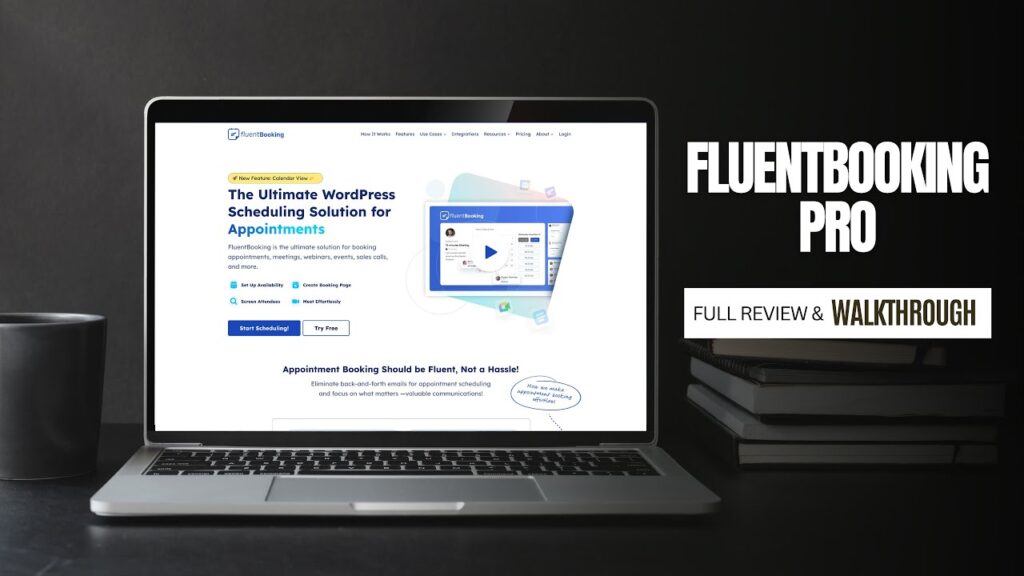
What We Like
- Completely self-hosted — client booking data lives on your own server, not a third-party SaaS platform, which matters for data privacy and long-term ownership
- Deep FluentCRM integration triggers automated email sequences, CRM tags, and welcome flows the moment a booking is confirmed — no Zapier required
- Granular availability controls let you restrict booking windows independently from your Google Calendar, so you can limit consultation calls to specific days without blocking your entire calendar
- Stripe and PayPal payment collection built in with no WooCommerce dependency — clients pay at the time of booking in a clean, native flow
- Unlimited hosts and unlimited calendars across all pricing tiers means team booking scales without per-user cost increases
- Active development with meaningful updates — version 2.0 added recurring events, dark mode, and FluentCart integration as of December 2025
- Embeds cleanly via shortcode in any page builder (Elementor, Divi, Beaver Builder) without layout conflicts
What Could Improve
- The free version is limited enough that most serious users will need Pro fairly quickly — payment, team booking, and CRM integration are all Pro-only features
- No native HubSpot or Salesforce integration; businesses running those CRMs need Zapier or a custom connection, which adds complexity and cost
- Reporting and analytics dashboard is functional but basic compared to enterprise scheduling tools — useful for a snapshot but not for deep booking trend analysis
Video Review
If you’ve been relying on Calendly, Acuity, or some clunky industry-specific scheduling software to manage your appointments, I want to make a direct case for bringing that entire system in-house — to your WordPress site — with FluentBooking. I’ve been running this plugin across eight different websites for over five months, and it has genuinely replaced paid SaaS tools while giving me more control, better automation, and a cleaner client experience than anything I was using before. This is one of the most complete WordPress booking plugins I’ve tested, and I don’t say that lightly.
What Is FluentBooking and Who Is It For?
FluentBooking is a WordPress booking plugin developed by WPManageNinja — the same team behind FluentCRM and Fluent Forms. It’s a full-featured appointment scheduling and booking system that runs entirely within your WordPress dashboard, with no external SaaS account required. Think of it as Calendly, but self-hosted, deeply integrated with your site, and built to connect with your CRM and email marketing workflows.
The plugin is designed for anyone who books client calls, consultations, sessions, or services through their website. That includes marketing consultants, coaches, photographers, real estate agents, therapists, hair salons, agencies, and any service-based business that needs a professional booking experience embedded directly in their site — not redirected to a third-party page.
What makes FluentBooking stand out from generic booking tools is its awareness that scheduling isn’t just about picking a time — it’s the first step in a client relationship. The plugin is built to trigger follow-up emails, CRM tags, welcome sequences, and task automation the moment someone books, turning a simple calendar event into the beginning of a complete client journey.
FluentBooking is ideal for you if: you already use WordPress and want a native, self-hosted booking solution; you’re running FluentCRM or Fluent Forms and want a tight integration; or you’re tired of paying Calendly or Acuity monthly when your client data could live on your own server.
FluentBooking is not the right fit if: you run a high-volume enterprise operation that needs deep ERP integrations, or you’re using a non-WordPress platform entirely.
First Impressions and Setup Experience
I installed FluentBooking on my marketing agency’s WordPress site first, and I had a functional booking calendar live within about 30 minutes. The onboarding flow walks you through connecting your calendar, setting your availability, and creating your first booking type. There’s no steep learning curve here — this is one of the more intuitive plugin setups I’ve worked through in years of building WordPress sites.
Connecting Google Calendar was straightforward: authenticate via OAuth, select the calendar, and FluentBooking immediately begins pulling in your existing events to block out those time slots. That means no double-booking risk from day one. I also connected Google Meet, so when someone books a strategy call, the Zoom or Meet link is generated and included in the confirmation email automatically — zero manual link-sharing required.
The booking form itself is clean, modern, and genuinely comparable to what Calendly produces. It shows who the meeting is with, the duration, the booking type, available time slots, and a simple form to collect lead information. On my marketing site, I collect the person’s biggest marketing pain point, their website URL, and their phone number directly in the booking form. That data flows into FluentCRM automatically, tagging them as a consultation lead before I’ve even spoken to them.
One thing I noticed immediately compared to plugins like Amelia and Bookly: the backend UI is clean and fast. There’s no admin panel clutter. The dashboard shows total bookings, completed bookings, cancellations, and guest counts at a glance. It feels like a modern SaaS product living inside WordPress rather than a legacy plugin trying to catch up.
Core Features: What FluentBooking Actually Does
After running this across eight sites, I’ve put nearly every feature through real-world use. Here’s what actually matters:
Multiple Booking Types and Calendars
Each calendar you create in FluentBooking is its own booking type with its own settings. On my marketing agency site, I have a General Business Discussion (free), a Client Success Check-In (free, existing clients only), and a Digital Growth Strategy session (paid). On my photography site, I have separate booking types for real estate photography, drone packages, social media content sessions, and headshots — each with its own pricing, duration, intake questions, and follow-up automation.
This calendar-per-service structure is exactly how a real service business operates, and FluentBooking mirrors it perfectly. Each booking type gets its own availability, its own confirmation email, and its own CRM automation trigger. You’re not trying to make one generic booking flow work for completely different services.
Availability Management
This is where FluentBooking genuinely outperforms simpler tools. Yes, it syncs with Google Calendar to prevent double-booking — but you can also override your availability independently from what your calendar shows. For example, even if I’m technically free on Thursdays and Fridays, I can restrict consultation calls to Mondays only within FluentBooking without blocking those days in Google Calendar. For my photography work, I restrict drone sessions to morning and late afternoon hours because of lighting conditions — something I’d otherwise have to manually block off in Google Calendar every single week.
You can set weekly recurring availability, date-specific overrides, buffer times between appointments, and even split availability within a single day (available 9–12 AM, then again 3–6 PM, for example). This level of granularity is something I previously only found in enterprise tools.
Payment Collection
FluentBooking integrates with Stripe and PayPal natively, with no WooCommerce required. For my photography bookings, clients pay their booking fee directly in the booking flow before the appointment is confirmed. The entire process — choosing a service, picking a time, filling out the intake form, and paying — happens without leaving my website. That’s a genuinely seamless experience that reduces booking abandonment compared to tools that require an external payment redirect.
As of version 2.0 (released December 31, 2025), FluentBooking also integrates with FluentCart, and you can apply coupon codes to booking payments — useful for running promotions or offering first-time client discounts.
Automated Notifications and Follow-Up
Out of the box, FluentBooking sends confirmation emails to both you and the client when a booking is made. You can customize these emails, add custom footers, and set reminders leading up to the appointment. SMS reminders via Twilio integration are also available for clients who prefer text notifications.
Where I’ve pushed this further is through FluentCRM integration. When someone books a marketing consultation with me, they immediately get tagged in my CRM as a consultation lead, receive a “what to expect” email with a pre-consultation questionnaire, and get enrolled in a short welcome sequence about Hill Media Group. By the time we’re on the call, they’ve received four or five touchpoints from me and already have a solid understanding of what I do. That kind of automated relationship-building is what separates a booking plugin from a booking system.
The same logic applies to my photography site. A real estate agent booking me for the first time gets an automated email explaining exactly how to prepare the property — lights on, yard cleaned, clutter minimized — so I can maximize shooting time rather than helping them prep. Newer agents especially benefit from this level of communication, and it comes across as professional and thorough without any extra effort on my part.
Integrations: The Full Ecosystem Breakdown
FluentBooking’s integrations are one of its strongest selling points, particularly if you’re already in the Fluent ecosystem. Here’s the complete picture of what it connects to as of version 2.0:
Calendar integrations: Google Calendar (2-way sync), Apple Calendar, Outlook/Microsoft 365, Nextcloud Calendar. All support 2-way sync, meaning events created in FluentBooking appear in your external calendar, and events in your external calendar block availability in FluentBooking.
Video conferencing: Google Meet, Zoom, Microsoft Teams. Links are generated automatically upon booking and included in confirmation emails. Clients can choose their preferred platform if you offer multiple options.
Payment gateways: Stripe (including Google Pay and Apple Pay if connected to your Stripe account), PayPal, WooCommerce (optional), FluentCart, and offline payment support for in-person deposits or invoiced services.
CRM and email marketing: FluentCRM and FluentCRM Pro for full automation, tagging, and sequence enrollment on booking. Fluent Forms for advanced intake form building if you need more complex conditional logic than FluentBooking’s built-in questions offer.
Task management: Fluent Boards integration allows a booking to automatically create a task checklist. I’m in the process of setting this up for my photography workflow so that every new booking auto-generates a task list with my standard pre-shoot and post-shoot steps.
SMS: Twilio integration for automated SMS reminders to clients before their appointment.
Unlike competitors that require WooCommerce for payments or third-party Zapier connections for CRM integration, FluentBooking handles most of this natively. That means fewer plugins, faster page loads, and less troubleshooting when updates break connector logic.
Team Booking and Multi-Site Capability
FluentBooking is built for teams, not just solo operators. You can add multiple hosts to your booking system, each with their own calendar, availability, and booking types. This makes it viable for:
- Marketing agencies where clients can book with a specific account manager or any available team member
- Hair salons or spas where clients can choose their preferred stylist or book whoever is available first
- Medical or wellness practices with multiple providers
- Sales departments where leads can book directly with a rep via a booking form embedded in the sales page
Each team member’s booking form can be embedded anywhere — on their individual about page bio, on a dedicated booking page, or via a master booking page where the client selects who they want to meet with. The plugin supports unlimited hosts across all pricing tiers, which is a meaningful advantage over Calendly Teams or Acuity Scheduling’s per-user pricing model.
On the multi-site front, my Small Business license covers five WordPress installs, and I’m using FluentBooking across eight sites under an Agency-tier relationship. I haven’t experienced a single conflict or compatibility issue across any of them over five months. The plugin plays well with Elementor, Divi, Beaver Builder, and standard block editor embeds via shortcode.
FluentBooking vs. Calendly, Amelia, and Bookly
Having used all four of these tools in real client and personal projects, here’s where FluentBooking actually wins and where it still trails:
FluentBooking vs. Calendly: Calendly is excellent if you only need scheduling and you’re willing to pay monthly per user indefinitely. The moment you want payment collection, CRM integration, or to own your client data, Calendly’s value proposition weakens. FluentBooking’s one-time or annual licensing is substantially cheaper at scale, your data lives on your server, and the CRM/automation integration is far deeper. The front-end booking UI is comparable in quality — clients don’t notice a difference.
FluentBooking vs. Amelia: Amelia is the other serious WordPress booking plugin in this category. Its form builder offers slightly more design flexibility, and it has a mature SPA (single-page application) front-end that feels polished. However, Amelia requires WooCommerce for payments in many configurations, and its CRM automation requires third-party connectors. FluentBooking’s native FluentCRM integration is a significant advantage if you’re already in that ecosystem, and FluentBooking’s availability controls are more granular.
FluentBooking vs. Bookly: Bookly is long-established but notorious for requiring numerous add-on purchases to unlock features that FluentBooking includes by default. What looks like a $89 plugin often becomes a $300+ stack once you add group bookings, payments, and SMS. FluentBooking prices all features into a single license.
The honest summary: FluentBooking is the best option for WordPress users already in the Fluent ecosystem, and a compelling option for anyone who wants to own their booking system rather than rent it from a SaaS provider.
Real-World Performance After 5+ Months Across 8 Sites
I want to be specific here because vague “it works great” assessments don’t help anyone making a purchasing decision.
Across eight WordPress sites — running a mix of Elementor and block editor, on shared hosting and managed WordPress hosts — FluentBooking has had zero downtime incidents and zero booking failures that I can attribute to the plugin. In five-plus months, the only support ticket I’ve opened was to ask a configuration question about availability override dates, which was answered within a few hours.
The plugin has been updated actively throughout this period. Version 2.0 dropped on December 31, 2025, introducing recurring events, dark mode for the admin panel, and super admin capabilities — all meaningful additions for managing multiple sites and complex booking schedules. The changelog shows consistent, rapid development with both feature additions and honest bug fixes.
One specific thing that impressed me: when I added a new booking type to my photography site mid-season and then updated the FluentBooking plugin the following week, there was zero disruption to existing bookings, no lost data, and the new booking type worked exactly as configured. Plugin updates on booking systems can be nerve-wracking — a failed update at the wrong moment could mean missed bookings. FluentBooking has handled every update cleanly.
Page load impact is minimal. The booking form scripts load only on pages where a booking shortcode or block is present, not sitewide. That’s good plugin architecture that not every developer team gets right.
Pricing: What FluentBooking Costs
FluentBooking’s pricing is competitive, particularly on the lifetime license tier:
Annual plans: Solo (1 site) at $79/year, Small Business (5 sites) at $199/year, Agency (50 sites) at $399/year. All plans include all features and priority support.
Lifetime plans: Solo at $249, Small Business at $436, Agency at $749. All plans include lifetime updates and lifetime priority support.
For comparison, Calendly’s Teams plan runs $20 per user per month. A 5-person team pays $1,200 per year — and that doesn’t include the CRM automation, payment processing, or multi-site capabilities FluentBooking covers. The math strongly favors FluentBooking for any established business.
There is also a free version of FluentBooking available in the WordPress plugin repository that covers basic one-on-one booking, Google Calendar sync, and email notifications. It’s a legitimate way to test the plugin before committing to Pro. The Pro upgrade unlocks payments, team booking, SMS, advanced availability controls, and the CRM integrations.
Who Should Buy FluentBooking (and Who Shouldn’t)
Buy FluentBooking if you are: a service-based business or consultant running WordPress; managing bookings across multiple team members or service types; already using FluentCRM and want tightly integrated booking automation; a web agency building booking systems for clients (the Agency license at 50 sites is outstanding value); or a business currently paying monthly for Calendly, Acuity, or a niche industry scheduling platform.
Skip FluentBooking if you are: not running WordPress and have no plans to; a large enterprise needing Salesforce or HubSpot native integration without middleware; or running a pure e-commerce store where WooCommerce Bookings would be a more natural fit within an existing WooCommerce infrastructure.
For the vast majority of WordPress-based service businesses, FluentBooking is the most cost-effective, feature-complete, and integration-friendly booking solution available today. I’ve run it for five months across eight production websites without a single issue. That kind of reliability earns a strong recommendation.
Final Verdict
FluentBooking earns a strong recommendation for any WordPress-based service business, and it does so by doing something most booking plugins don't: it treats scheduling as the first step in a client relationship rather than an isolated transaction.
After five months running FluentBooking across eight production websites — spanning a marketing agency, a photography business, and several client projects — I haven't encountered a plugin crash, a missed booking, or a failed payment integration. That kind of reliability is the baseline, and FluentBooking clears it comfortably. What separates it from competitors is the depth of the automation layer. When a client books a consultation through my agency site, they're automatically enrolled in a welcome sequence, tagged in FluentCRM as a consultation lead, and sent a pre-consultation questionnaire — before I've done anything manually. That's not a feature you'll get from Calendly at any price point without a third-party Zapier connection.
FluentBooking is the right choice if: you run a service-based business on WordPress, you manage bookings for a team or multiple service types, you want to own your client data instead of housing it on someone else's servers, or you're currently paying monthly for Calendly, Acuity, or an industry-specific scheduling platform that's weak on follow-up automation.
FluentBooking is not the right fit if: you're not on WordPress, you need native Salesforce or HubSpot integration without middleware, or you're running a high-volume WooCommerce store where WooCommerce Bookings would integrate more naturally into an existing infrastructure. For everyone else — consultants, photographers, coaches, agencies, wellness practitioners, sales teams — the lifetime Solo license at $249 or the annual plan at $79/year is one of the best investments available in the WordPress plugin ecosystem right now. The alternative is paying $240–$1,200 per year to a SaaS provider for functionality that FluentBooking delivers from within your own dashboard.
Was this helpful?
Frequently Asked Questions
Is FluentBooking a good replacement for Calendly on a WordPress site?
Does FluentBooking work without FluentCRM?
Can FluentBooking accept payments without WooCommerce?
How many websites can I use FluentBooking on?
Does FluentBooking prevent double-booking if I have Google Calendar events?
What video conferencing tools does FluentBooking support?
Is FluentBooking suitable for team booking or multiple service providers?
